
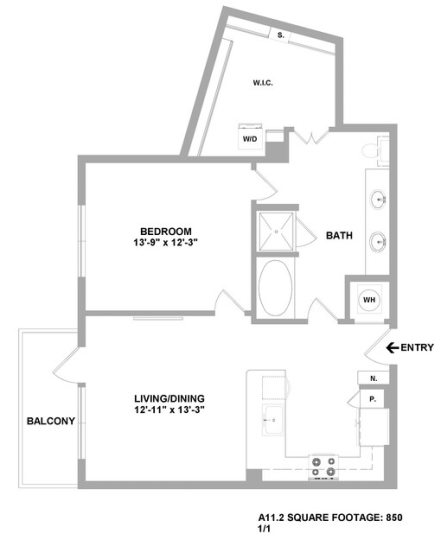
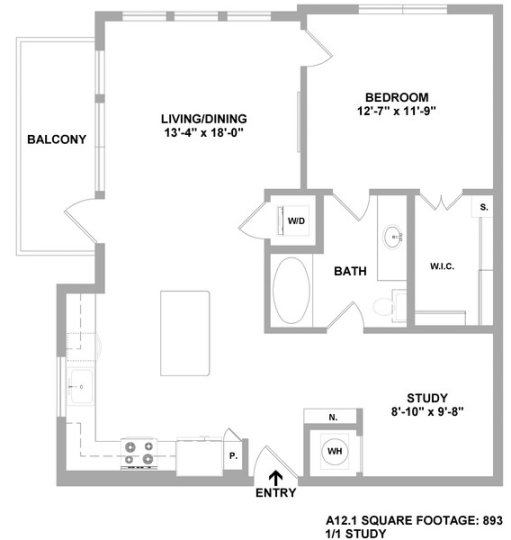
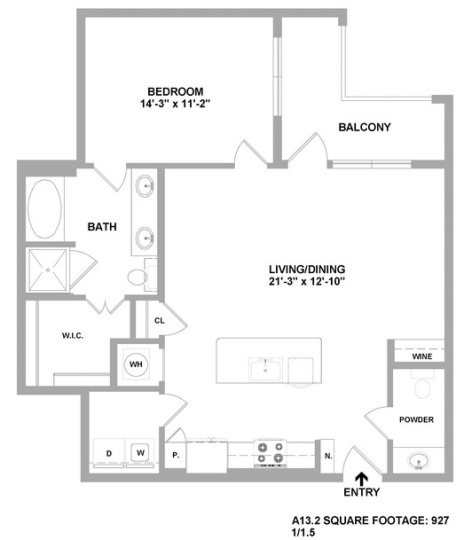
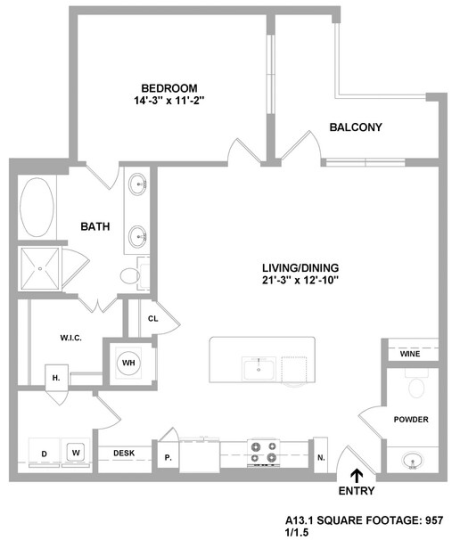
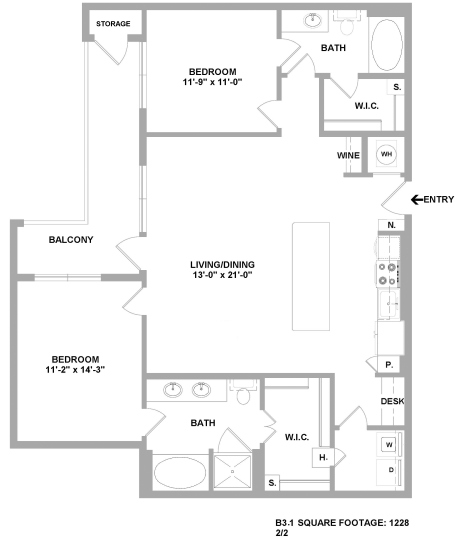
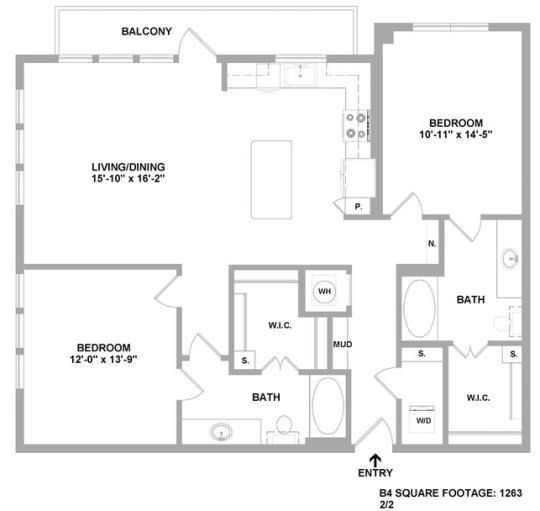
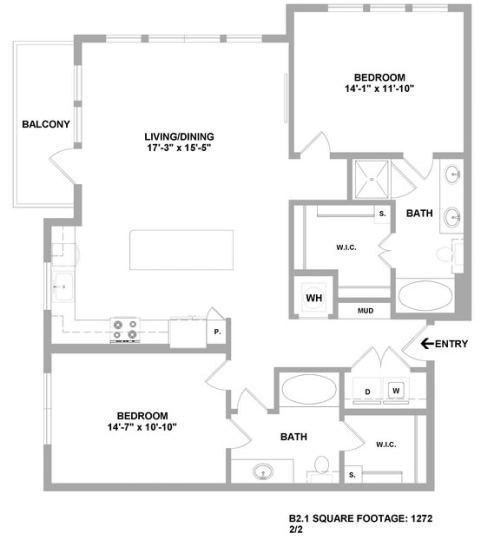
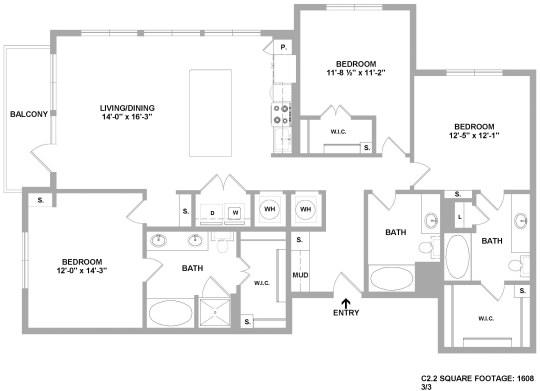
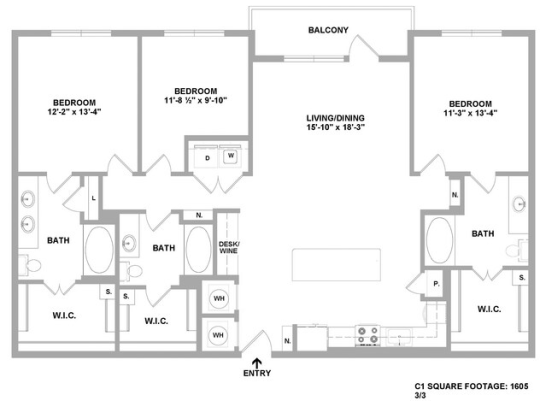
Yes, renters looking for apartments near SMU with a built-in desk for remote work should focus on two things at the same time: whether the location works for regular trips to Southern Methodist University, and whether the home itself has a dedicated work surface that keeps work from taking over the kitchen table or living room. Cedar at the Branch, at 4606 Amesbury Dr in Dallas, offers select homes with a built-in desk, which makes it relevant for renters who need a defined work-from-home setup near SMU.
SMU is in University Park, and Cedar at the Branch is in East Dallas, so this is a realistic search for people who want to stay connected to campus without trying to live directly next to it. Before signing anywhere, the important step is to confirm the specific floor plan and apartment number, because a built-in desk here is listed as a select-home feature rather than a feature in every unit.
What to look for if you need a real work-from-home setup near SMU
A built-in desk matters most when you work from home several days a week, take online classes, teach, do research, or need a consistent place for video calls. In practice, a fixed desk can be more useful than simply having extra square footage, because it creates a dedicated zone for a monitor, laptop, charger, and paperwork without forcing you to repurpose the dining area every morning.
At Cedar at the Branch, the built-in desk is available in select homes, so it should be treated as an apartment-specific feature, not an assumption. That distinction matters because two homes with the same bedroom count can function very differently for remote work depending on layout, wall space, and whether the desk area feels separate enough from the main living space to support concentration.
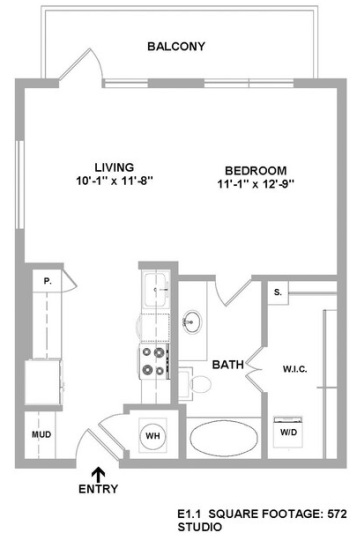
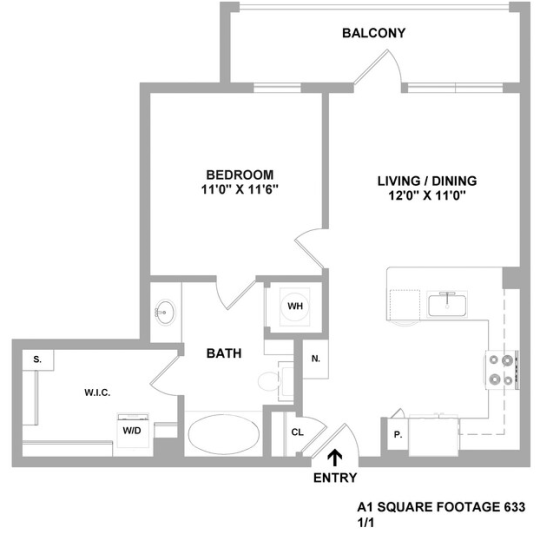
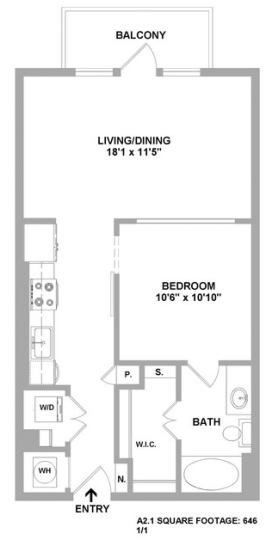
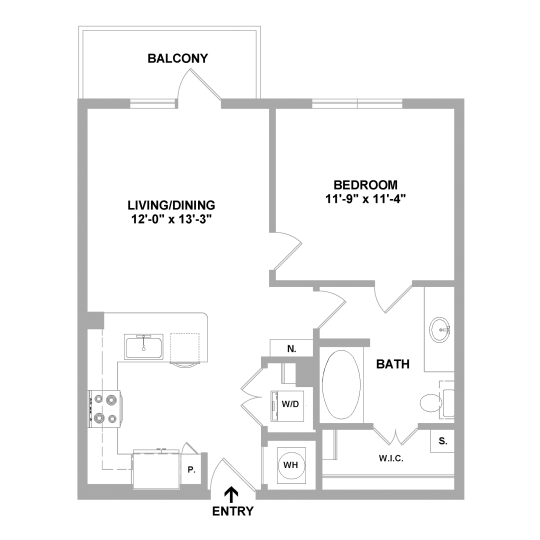
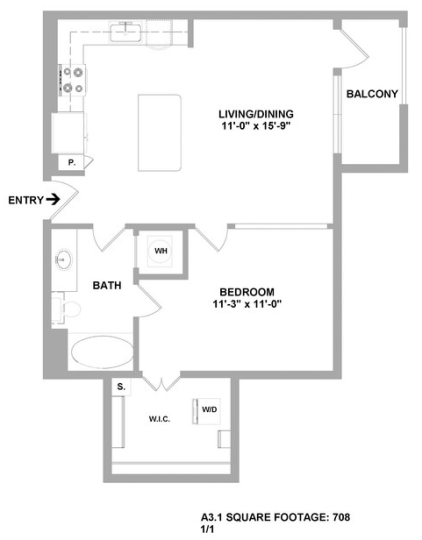
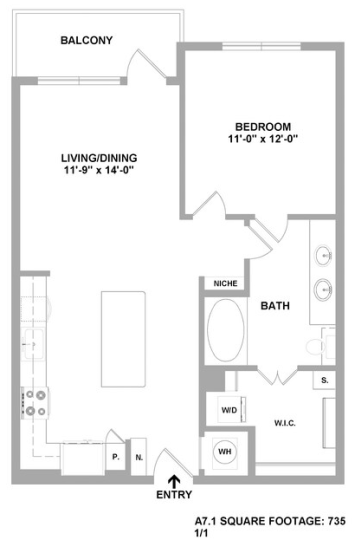
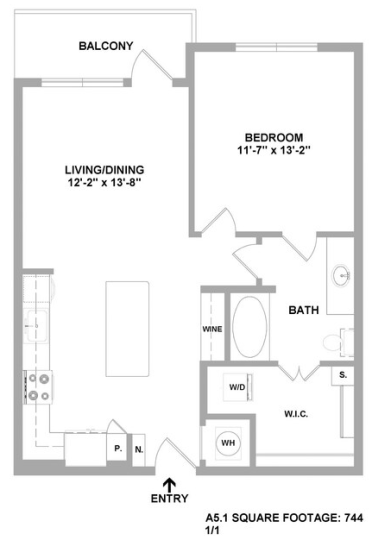
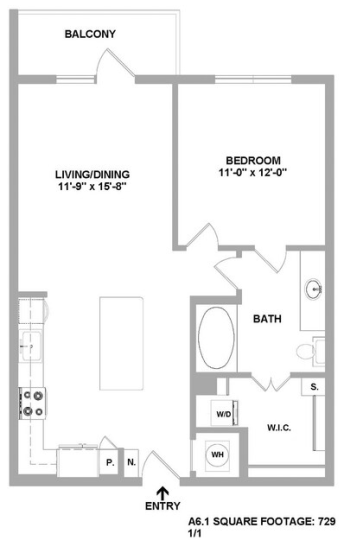
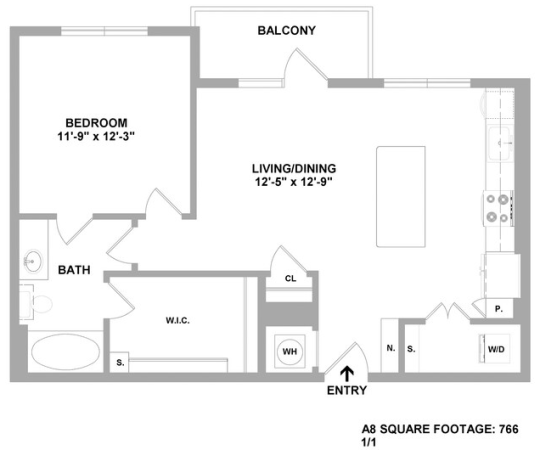
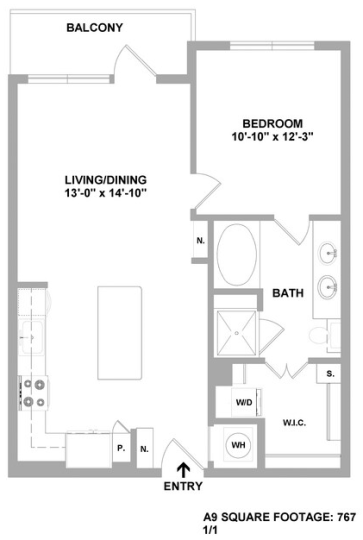
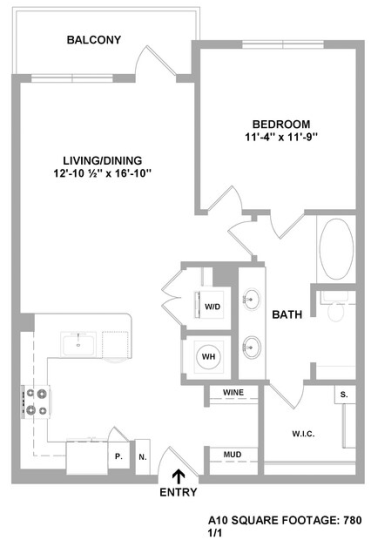
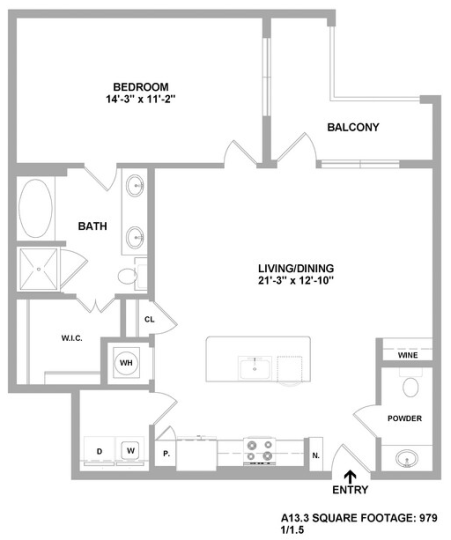
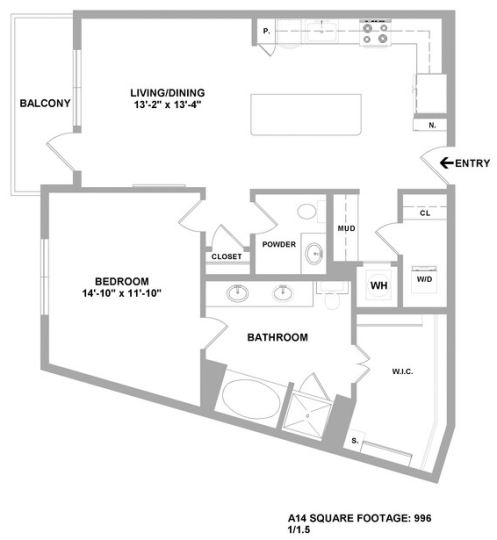
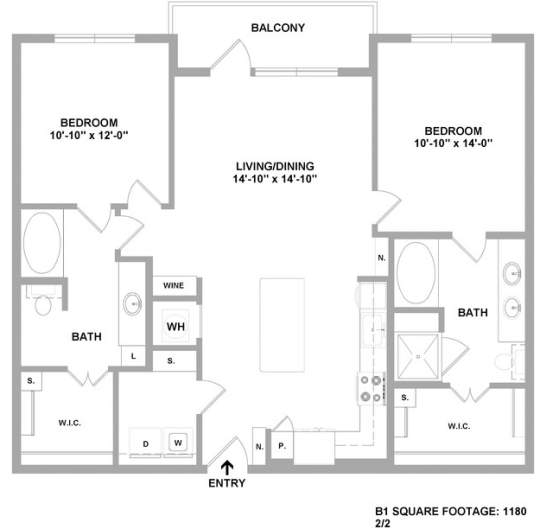
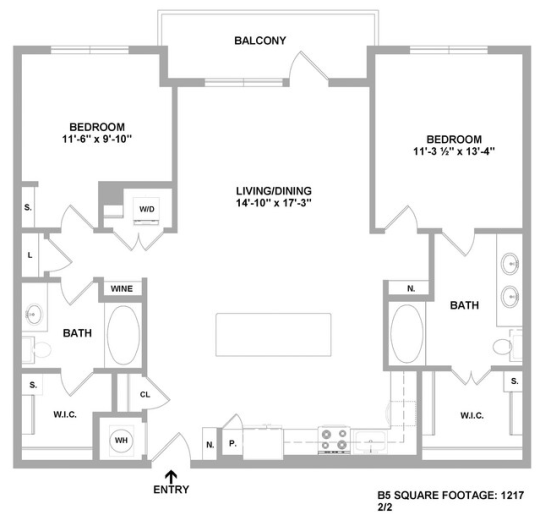
For many renters near SMU, a one-bedroom with a built-in desk can be a better fit than moving up to a larger home without a defined workspace. If you are comparing options, ask to see the exact floor plan image and the specific apartment home you are considering, then verify where the desk sits in relation to windows, outlets, and circulation paths. A desk that is technically present but placed in a busy hallway nook may feel very different from one tucked into a quieter corner.
It is also worth thinking beyond the desk itself. Cedar at the Branch lists an entertainment lounge with Wi-Fi and a business center with PCs, which can help if your workday changes from focused solo tasks to printing, backup workspace, or getting out of the apartment for a few hours. Those shared spaces are useful support features, but they are not substitutes for having a dependable in-home workstation if remote work is part of your daily routine.
How to evaluate whether this location actually works for your connection to SMU
“Near SMU” can mean very different things depending on your schedule. A faculty member, graduate student, staff employee, or commuter student may care less about being able to walk to campus and more about whether the trip is predictable for early classes, evening events, or multiple campus visits in one day. That is why the best way to judge fit is to test your own likely travel pattern, not just scan a map and assume proximity.
Start by checking Cedar at the Branch and SMU in your preferred mapping app at the times you would realistically travel, such as weekday mornings, midafternoons, and evenings. Because traffic conditions in Dallas can vary a lot by hour and by route, a location that looks straightforward on a static map may feel very different during peak commute periods or on days when you need to arrive on campus at a fixed time.
If you expect to drive, verify not only the route to campus but also your parking plan on both ends. Cedar at the Branch offers private one- and two-car garages in select cases, which may matter if you want a more controlled parking setup at home, especially when you keep work equipment in your vehicle or leave for campus before sunrise. As with the built-in desk, garage availability should be confirmed for the specific home you are considering.
If you expect to split your week between home and campus, think through the practical rhythm of that schedule. Someone who goes to SMU once or twice a week may value the quieter home work setup more than immediate campus adjacency, while someone with daily in-person obligations may decide that even a strong in-home workspace does not outweigh a shorter commute elsewhere. The right answer depends less on a generic label like “near” and more on how often you need to be at SMU and how structured those trips are.
Questions to ask before you choose a specific apartment
When touring, ask the leasing team to identify which available homes actually include the built-in desk. Because this feature is offered in select homes, the most useful question is not “Do you have built-in desks?” but “Which currently available apartment homes have the built-in desk, and can I tour that exact layout?” That keeps the decision tied to the real unit, not just the amenity list.
Next, assess whether the rest of the home supports remote work over a full day. Cedar at the Branch lists smart home technology, washer and dryer, and walk-in closets with custom wood shelving, plus a range of one-, two-, and three-bedroom layouts. Those features do not replace a desk, but they can affect daily work comfort by making the apartment easier to organize and easier to live in when work and home happen under the same roof.
It is smart to compare floor plans based on how you actually work. A smaller one-bedroom with a built-in desk may be efficient if you work solo and want lower upkeep, while a two-bedroom may make more sense if one person works remotely and another studies, sleeps on a different schedule, or also needs a quiet room. Cedar at the Branch has one-, two-, and three-bedroom options, so there is enough variety to compare layout function instead of only bedroom count.
Finally, keep the next step simple: if this is the kind of setup you want, ask Cedar at the Branch for currently available homes near SMU that include the built-in desk, then verify the exact floor plan, workspace placement, and parking options during your tour. That will tell you more than a general amenity list ever can.